




Skip to Content

Shop using built-in security features with Apple Pay®

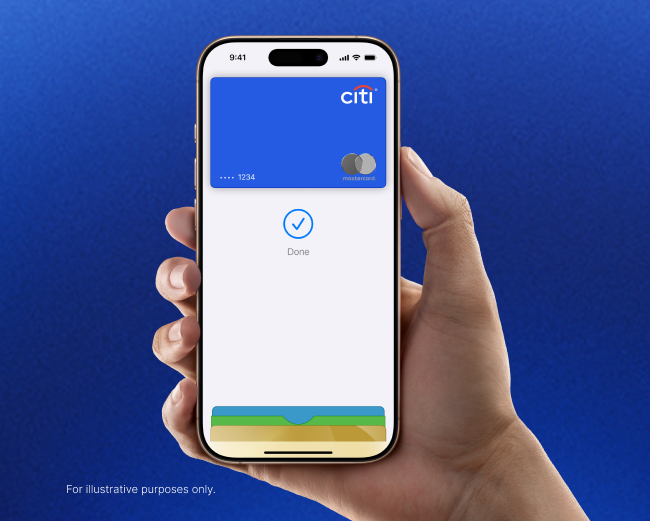
Shop with your eligible Citi® card and Apple Pay® without sharing your real card number with merchants.

Learn More

Payments compatible with your life

Apple Pay is the easy and secure way to pay with your eligible Citi® card in millions of places.

In Stores

Shop in stores without sharing your real card number with merchants.

NFC or Apple Pay

Online

Your payment info is pre-filled so you can speed through checkout.

Buy with Apple Pay

Within apps

On the go? Shop within merchant apps to grab your groceries, coffee, or a ride.

Buy with Apple Pay

It's simple to get started

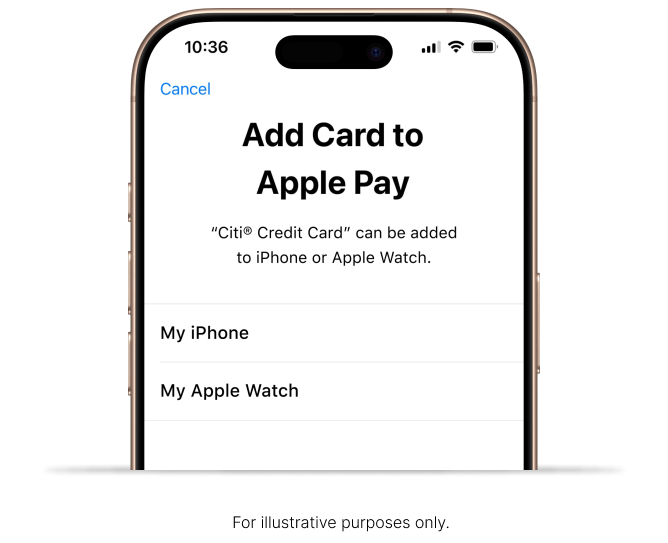
Add your eligible Citi® Credit card and Citibank® Debit card to Apple Pay® right from the Citi Mobile® App for iOS.

  1. Go to the "Services" tab on the Citi Mobile App for iOS and select “Card Control Hub”
  2. Tap "Add to Apple WalletTM" and choose the Citi card you would like to add to your iPhone® or Apple Watch®
  3. Enter a one-time password to authenticate and you'll be all set to start using Apple Pay®.

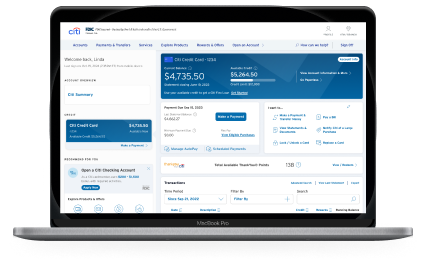
Add your eligible Citi® Credit card to Apple Pay® on all your devices, right from Citi.com.

  1. Go to your online dashboard and find the “Services” tab. Then, click on “Credit Card Services.”
  2. Under “Mobile & digital wallets’, click on “Add your card to Apple Pay.”
  3. Click “Add to Apple Wallet” for the card you selected.
    • Then, sign into your Apple account and select the devices ( iPhone, iPad, Mac, Apple Watch) you want to add your card to.
    • Read & accept the T&Cs.
    • You may be prompted to authenticate on the devices you chose. Once you do, you’ll be ready to use Apple Pay.

You can add your eligible card directly from citi.com to the Apple Wallet across one or more devices (i.e., iPhone, iPad, Mac, Apple Watch) associated with your iCloud account.

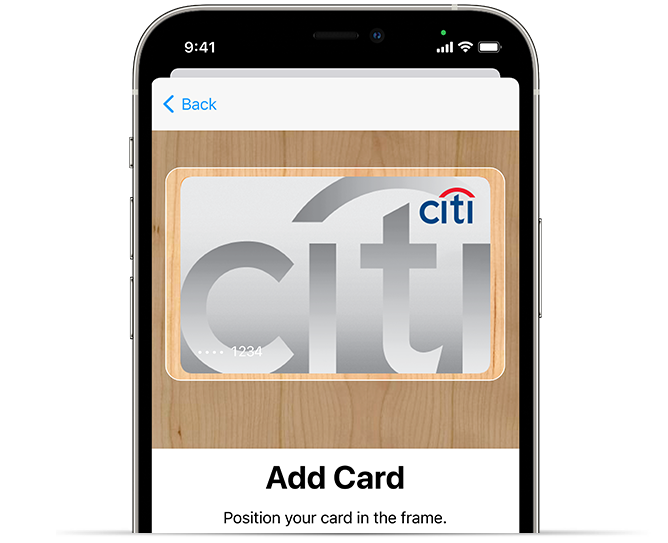
You can also add your eligible Citi cards to Apple Pay® from Apple Wallet app. Here's how:

  1. Go to the Wallet app on your iPhone.
  2. Tap the plus sign + in the upper-right corner
  3. Enter your card's security code to add your card from your iTunes® account. Or, select "Add a different card" and use your camera to enter the card information.

to add your Citi card to Apple Pay® from your iPad®, Apple Watch®, or Mac®.

Your favorite Citi® card. Your favorite places.

Pay with your eligible Citi card and Apple Pay® in millions of places: in stores, within apps and online.

Just look for one of these symbols at checkout:

NFC or Apple PayBuy with Apple Pay

Buy Now, Pay Later with Citi® Flex Pay on Apple Pay

Available in apps or online at checkout.

Citi® Flex Pay is available at checkout at online and in-app merchants that accept Apple Pay. You can pay over time on any eligible purchase of $75 or more when you use your eligible Citi® credit card on your iPhone or iPad.

Pay over time with Apple Pay

Choose the monthly payment plan that works best for you.

No application or credit check needed

Citi® Flex Pay is already a feature on your eligible Citi® credit card.

Keep earning rewards

If your card currently earns rewards on purchases, you’ll continue to earn them when you use Citi® Flex Pay with Apple Pay, just like you’re used to.
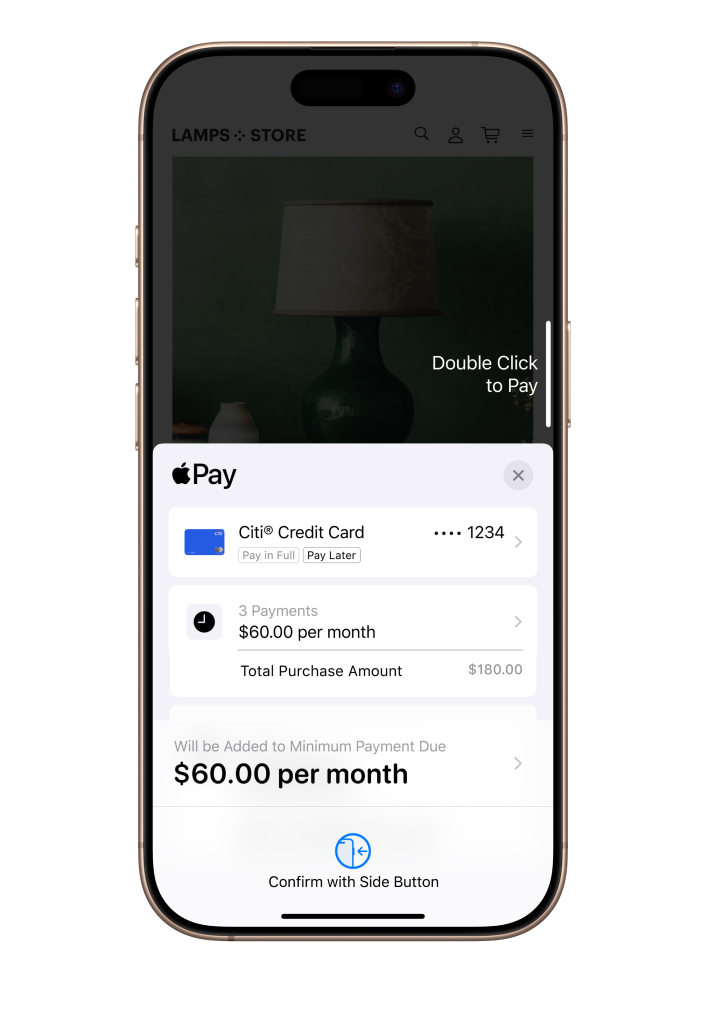
For illustrative purposes only.

Apple Pay® FAQs

All Citi-branded consumer credit and debit cards issued in the US are eligible for Apple Pay®, except for ATM cards and Chairman cards. In addition, Costco Anywhere Visa® Business cards, CitiBusiness® / AAdvantage® Select cards and CitiBusiness® / AAdvantage® Platinum Select® cards are also eligible.

Add your eligible Citi® Credit card to Apple Pay® on all your devices, right from Citi.com.

  1. Go to your online dashboard and find the “services” tab. Then, click on “credit card services.”
  2. Under “Mobile & digital wallets”, click on “add your card to Apple Pay.”
  3. Click “add to Apple Wallet” for the card you selected.
    1. Then, sign into your Apple account and select the devices ( iPhone, iPad, Mac, Apple Watch) you want to add your card to.
    2. Read & accept the T&Cs.
    3. You may be prompted to authenticate on the devices you chose. Once you do, you’ll be ready to use Apple Pay.

You can add your eligible card directly from citi.com to the Apple Wallet across one or more devices (i.e., iPhone, iPad, Mac, Apple Watch) associated with your iCloud account.

You can add eligible Citi Credit cards and Citibank Debit cards to Apple Pay® on your iPhone and Apple Watch. It's fast, protected, and simple.

  1. Open the Citi Mobile App, go to the "Services" tab, and select "Card Control Hub"
  2. Choose the card and the device you want to add it to- iPhone or Apple Watch
  3. Accept Terms and authenticate with a one-time password. Once verified, your Citi card is ready to use in Apple Pay®.

Helpful tip:
For your convenience, you can even skip step 1 and use the shortcut link 'Add Your Card Now', as also provided across the site and other communications. Just ensure 'JavaScript' is enabled on your Safari® mobile browser or iPhone.

To help keep your card information safe, Apple Pay® replaces your real card number with a unique digital card number, which is also called digital account number.
This means that when you pay with Apple Pay®:

  1. Your real card number is not shared with merchants
  2. Statements and receipts will show the digital card number
  3. To return items you might need to show the digital card number

The first Citi card added to Apple Pay® will automatically be set as your default payment card. Any time you use Apple Pay® at a merchant's point of sale, in apps, or on the web during a purchase, the default card will automatically be chosen to pay for that purchase unless you manually change the payment card.

You can also change the default payment card at any time in the Apple Pay® settings menu. Go to "Wallet & Apple Pay" under your device settings to select your card as default. See how .

Yes. You can use Citi® Flex Pay on Apple Pay. Select your Citi card, tap Pay Later, and choose the payment plan that works for you.

Citi® Flex Pay on Apple Pay is available with eligible Citi® credit cards and merchants in the United States. This feature is available online and in-app, on iPhone or iPad. Software requirements apply. To ensure you can use Flex Pay on Apple Pay, update your device to the latest software version. To use Citi Flex Pay on an eligible purchase, your account must be current, under the credit limit, and have the applicable Citi Flex Pay terms. Some purchases, such as subscriptions and recurring transactions may not be eligible. Other factors may apply.

All of the great benefits that already come with your card are there for you, such as:

  1. $0 Liability on unauthorized transactions. You are completely covered for any unauthorized transactions on your account.
  2. Citi Entertainment® - get special access to purchase tickets to thousands of events, including presale tickets and exclusive experiences for the year's most anticipated concerts, sporting events, dining experiences and more.

Learn more about these and other great benefits that your card may be eligible for.

Click to view the full list of devices that are compatible with Apple Pay®.

You can use Find My iPhone to quickly put your device in Lost Mode to suspend Apple Pay®, or you can wipe your device clean completely. Additionally, you can call the number on back of your card and a customer service representative will help you.

Visit the Citi Security Center to learn more about how Citi can help keep you protected.

about Apple Pay®

Citi Logo

The Citi Mobile® App.
Designed for you to spend less time on it.

With the Citi Mobile App you can access details in real time, view transactions, make payments fast, and even get a summary of your spending habits.

for exciting enhancements like fast access with Face ID® or Touch ID® and customized account alerts.

Download on the App Store

Citi® Benefits

$0 Liability on Unauthorized Transactions

Enjoy benefits like $0 liability on unauthorized transactions.

Citi Entertainment®

Discover presale tickets and exclusive experiences for concerts, sporting events, dining and more with Citi Entertainment.